
New

GetXtra Tools 2.0 — Online PDF, Image & AI Tools Website PHP Script

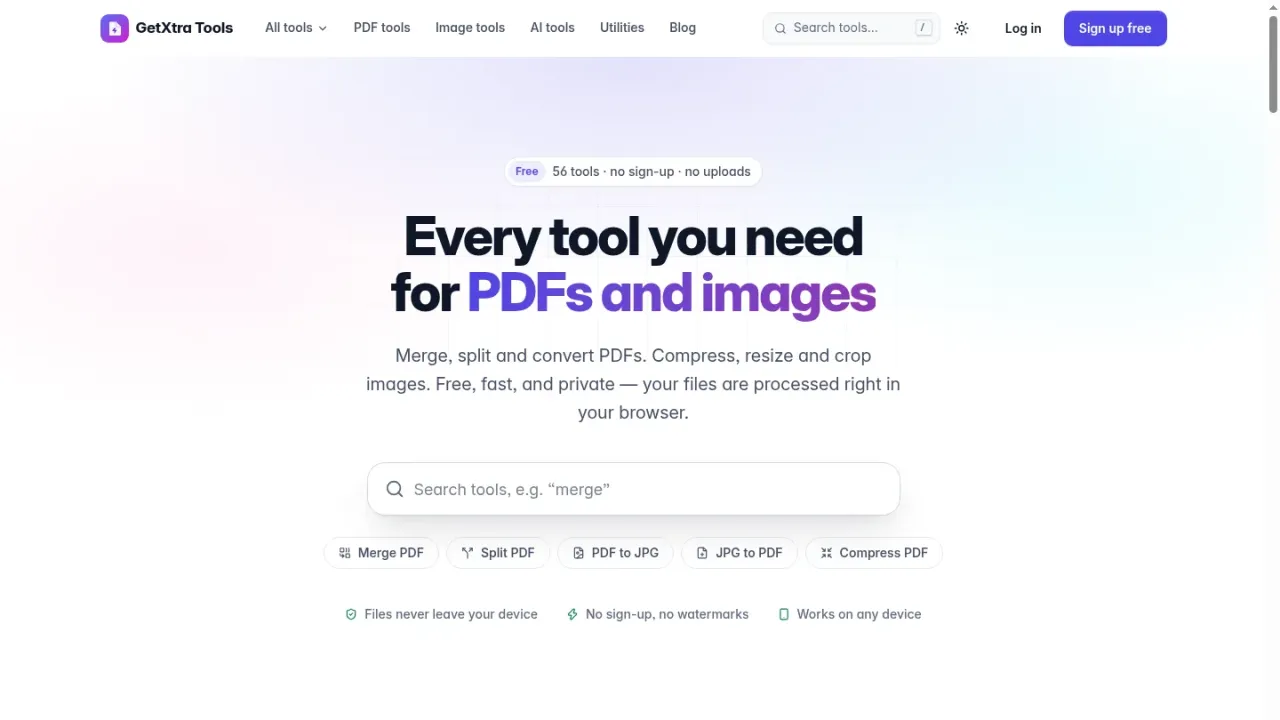
Your own online PDF and image tools website: 56 tools and 23 landing pages that run in the visitor's browser, 9 optional AI tools with your own keys, paid plans, a blog and a full admin panel.
· v2.2.0 · Plain PHP 8.2+ (own framework, no Composer), MySQL / MariaDB, vanilla JavaScript modules, pdf-lib, PDF.js, qpdf and Tesseract in WebAssembly
GetXtra Tools 2.0 is a complete online PDF tools website script in plain PHP 8.2: 56 PDF, image and AI tools and 23 landing pages under your own domain and brand. The PDF, image and OCR tools run in the visitor's browser, so files are never uploaded. It comes with paid plans through Stripe, PayPal and Razorpay (UPI), accounts with Google sign-in and two-factor authentication, a blog, support tickets, ads with cookie consent, analytics and one-click updates. A six-step web installer sets it up on cPanel shared hosting.

Features

  • 56 online tools and 23 ready-made landing pages: 34 PDF tools, 12 image tools, 9 AI tools and a QR code generator
  • PDF, image and OCR tools run in the visitor's browser: files are never uploaded to your server
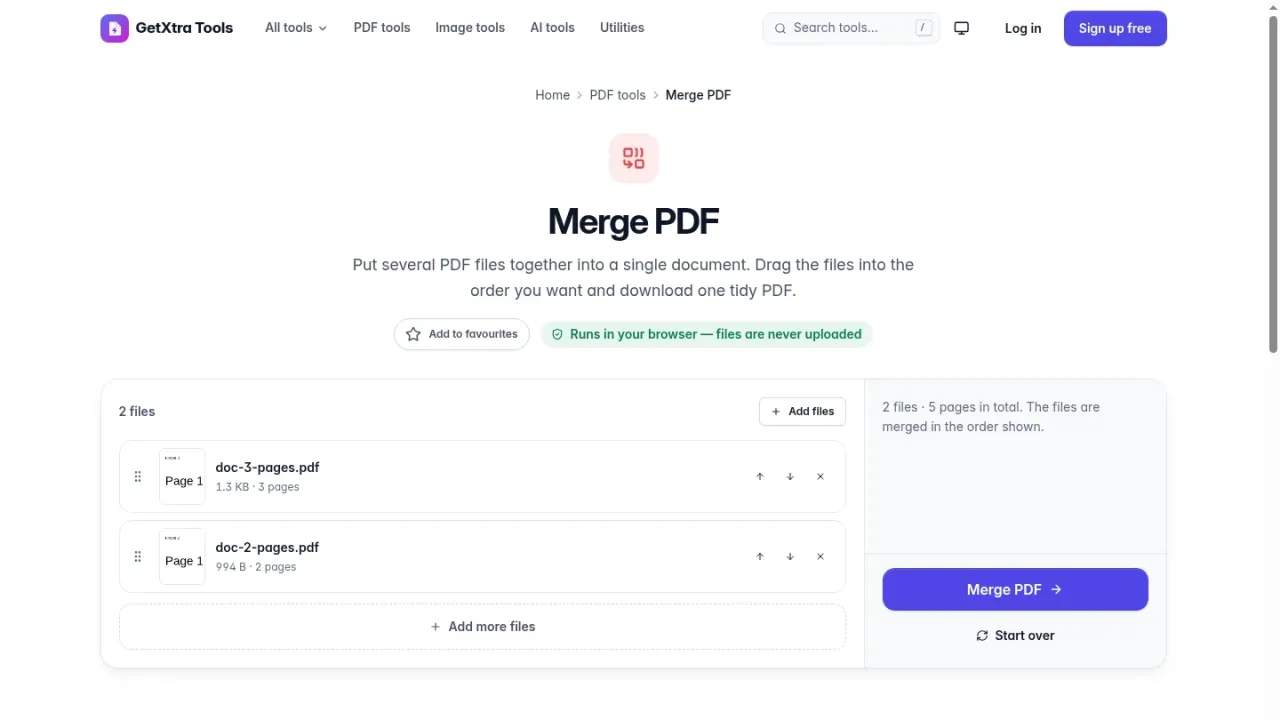
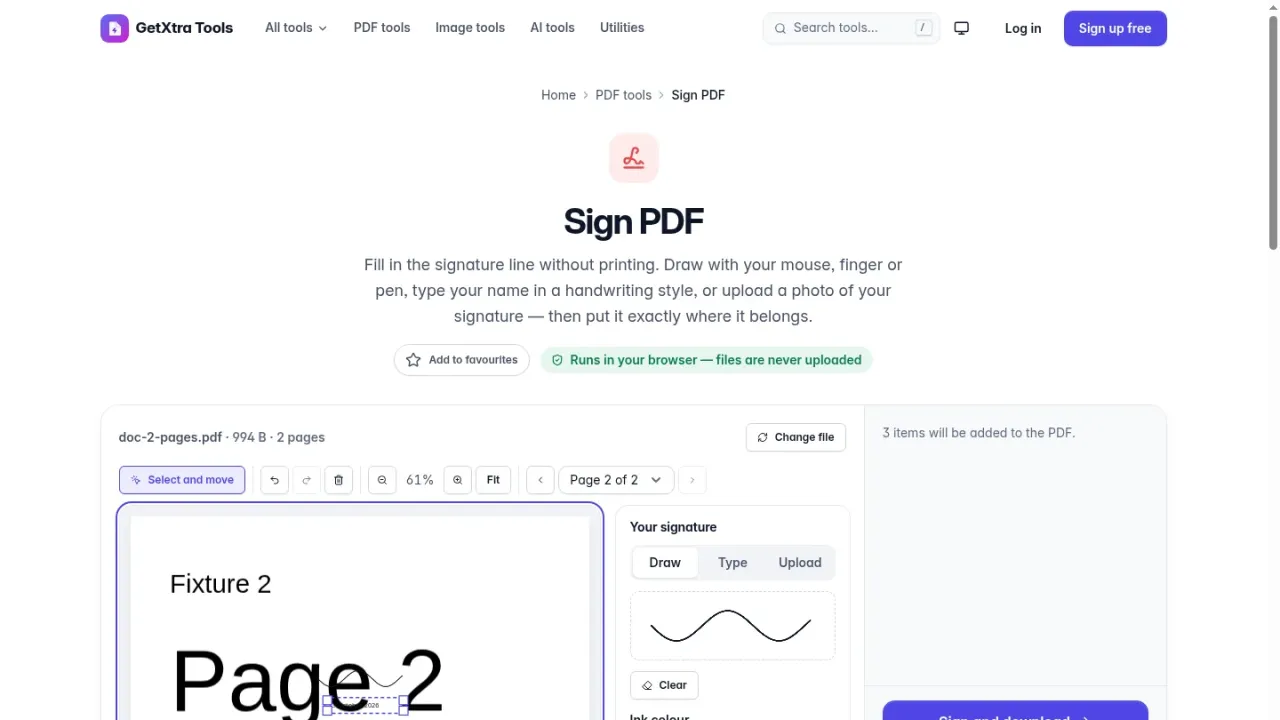
  • PDF tools: merge, split, compress, rotate, crop, page numbers, watermark, sign, annotate, redact, edit, fill forms, protect, unlock, repair, compare and OCR
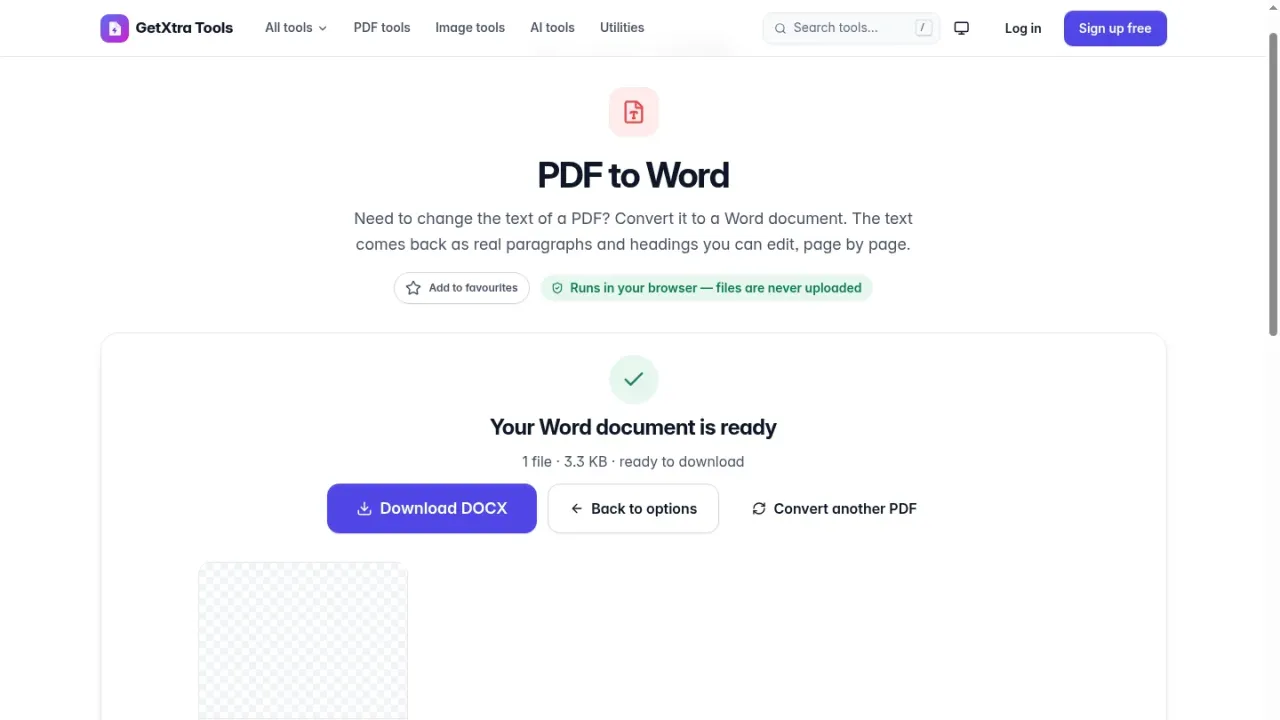
  • Office conversions in the browser: PDF to and from Word, Excel and PowerPoint, and PDF to and from JPG
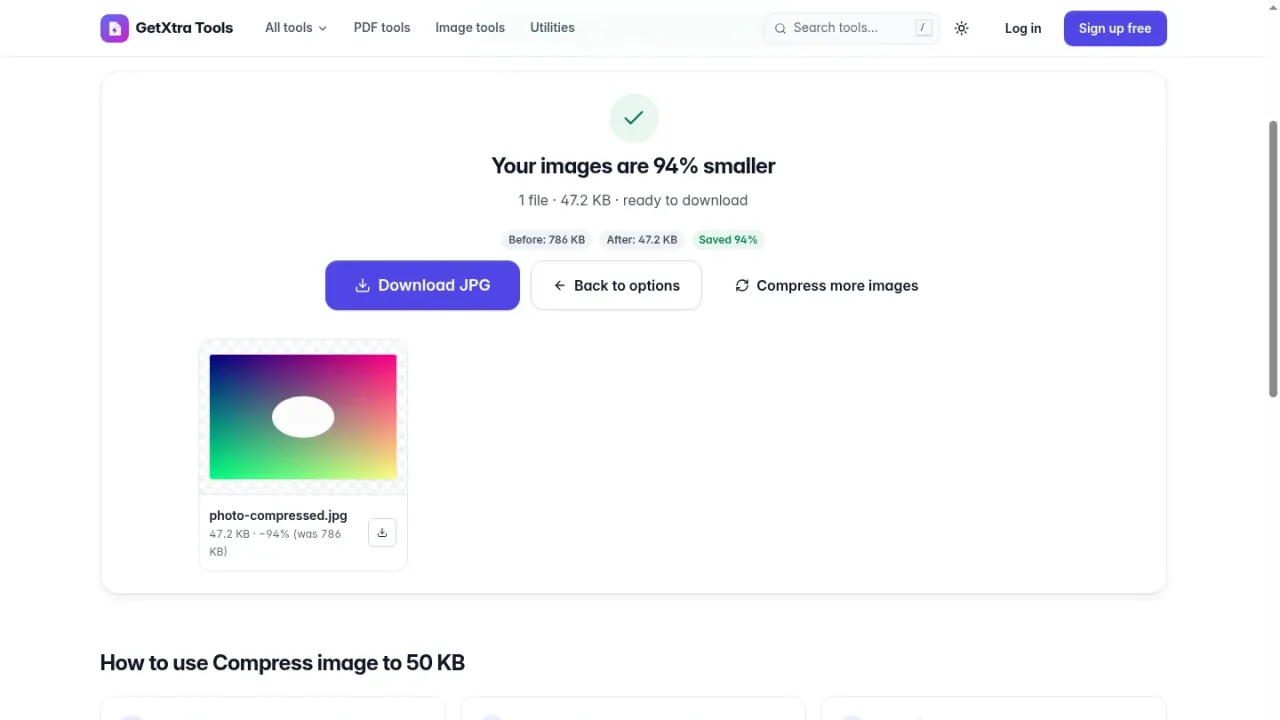
  • Image tools: compress (also to 50 KB or 25 KB), resize, crop, convert, rotate, flip, merge, add text, watermark and SVG to PNG
  • Hindi and other Unicode text in PDFs, and OCR in English and Hindi
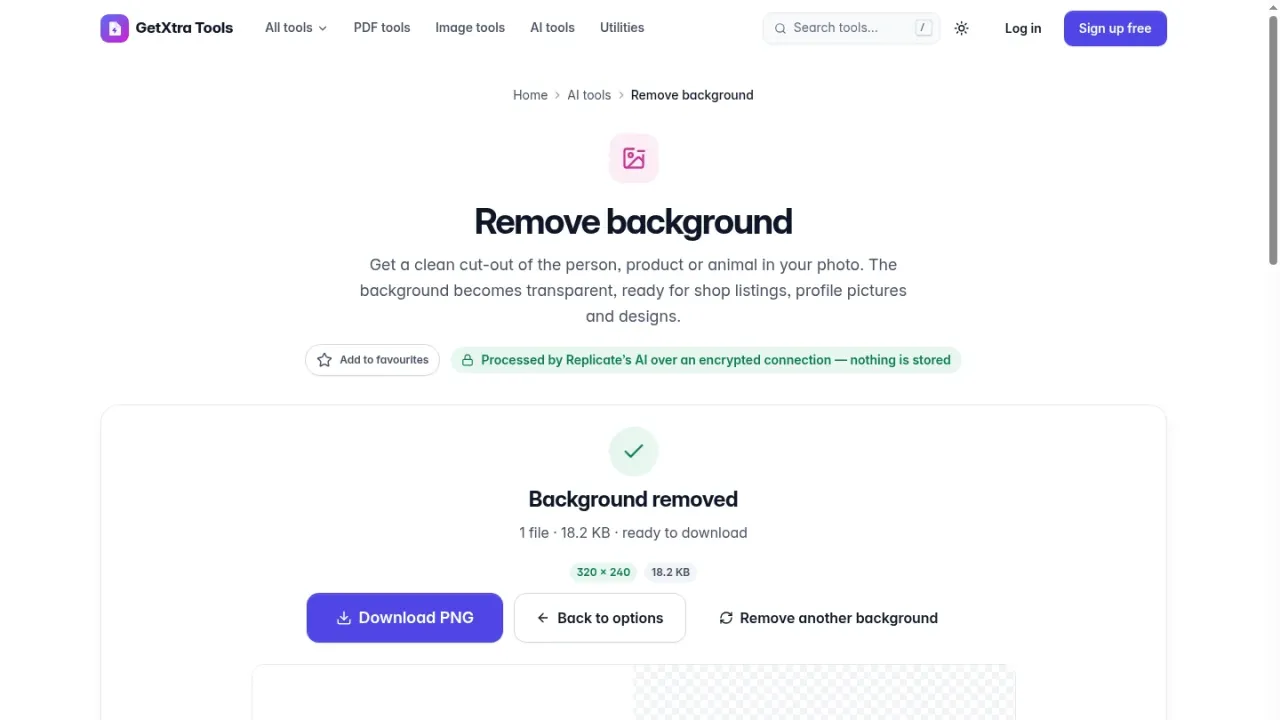
  • 9 optional AI tools with your own OpenAI, Replicate or Stability AI keys: remove background, upscale, enhance, remove object, retouch face, colorize, image to prompt, AI image generator and document summary
  • Daily AI limits per visitor, user and plan, with the API keys stored encrypted
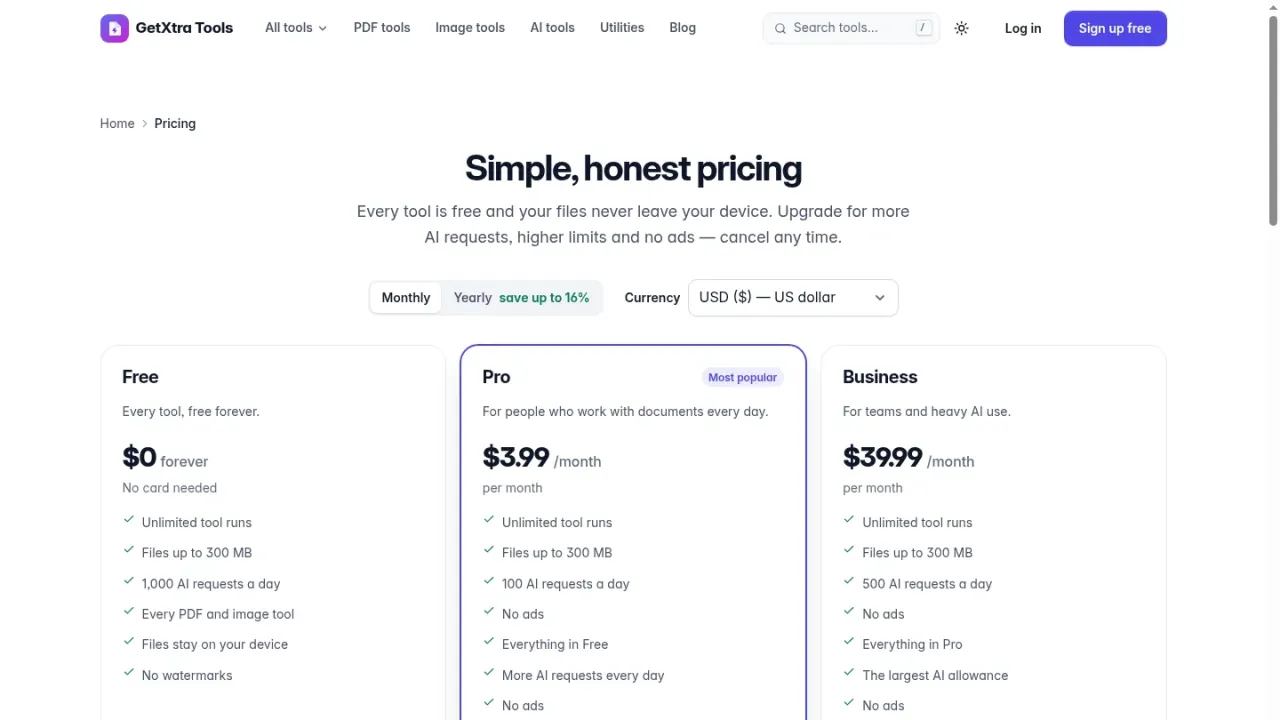
  • Paid plans with Stripe, PayPal and Razorpay (UPI): monthly, yearly and lifetime deals, coupons, receipts and ad-free plans
  • Plan limits: tool runs per day, largest file and AI requests per day
  • User accounts with e-mail verification, Google sign-in, two-factor authentication, active sessions, favourites and opt-in history
  • Advanced blog: categories, tags, authors, scheduled posts, revisions, SEO fields and RSS, plus a media library and editable pages
  • Support tickets with attachments and canned replies, and in-app notifications
  • Ads (AdSense or your own code) in four slots with a cookie consent banner, never shown to paying plans
  • Cookie-free analytics: page views, users, tools, revenue, AI usage and support, with CSV export
  • Your own brand: name, logos for light and dark mode, brand colour, favicon, footer and social links
  • SEO-ready tool pages with meta tags, how-to steps, FAQ and structured data, and an XML sitemap
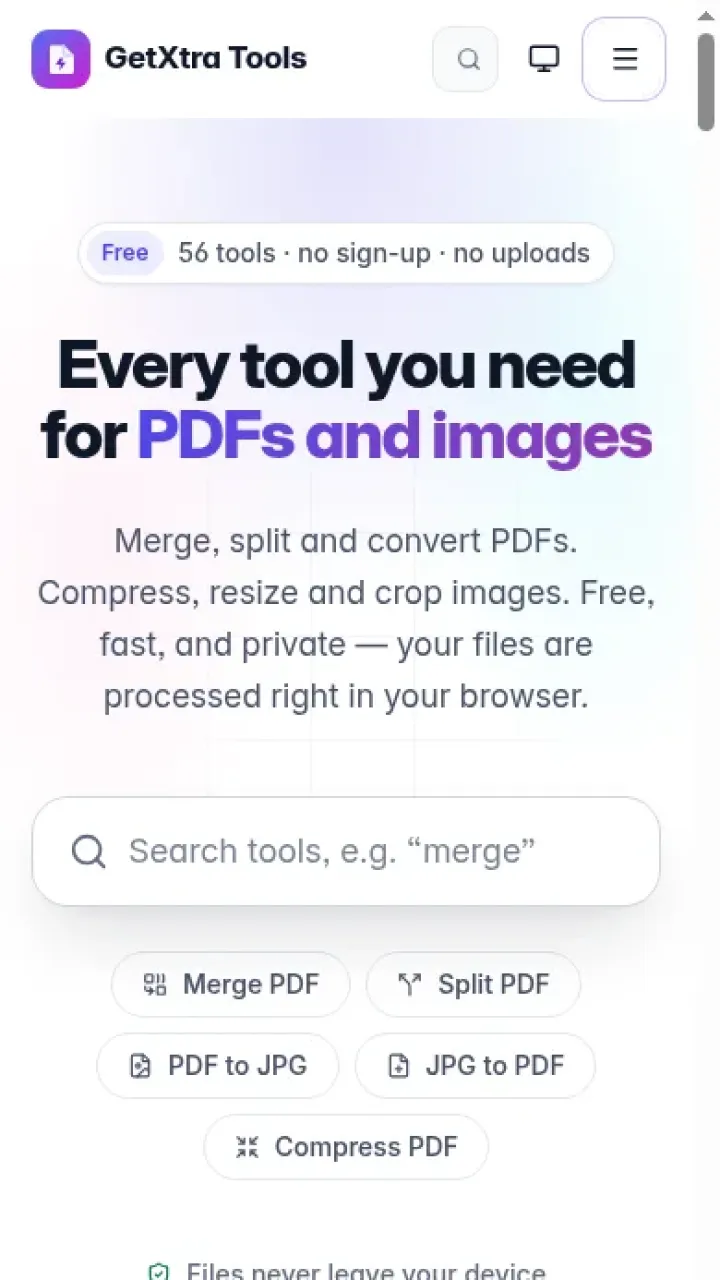
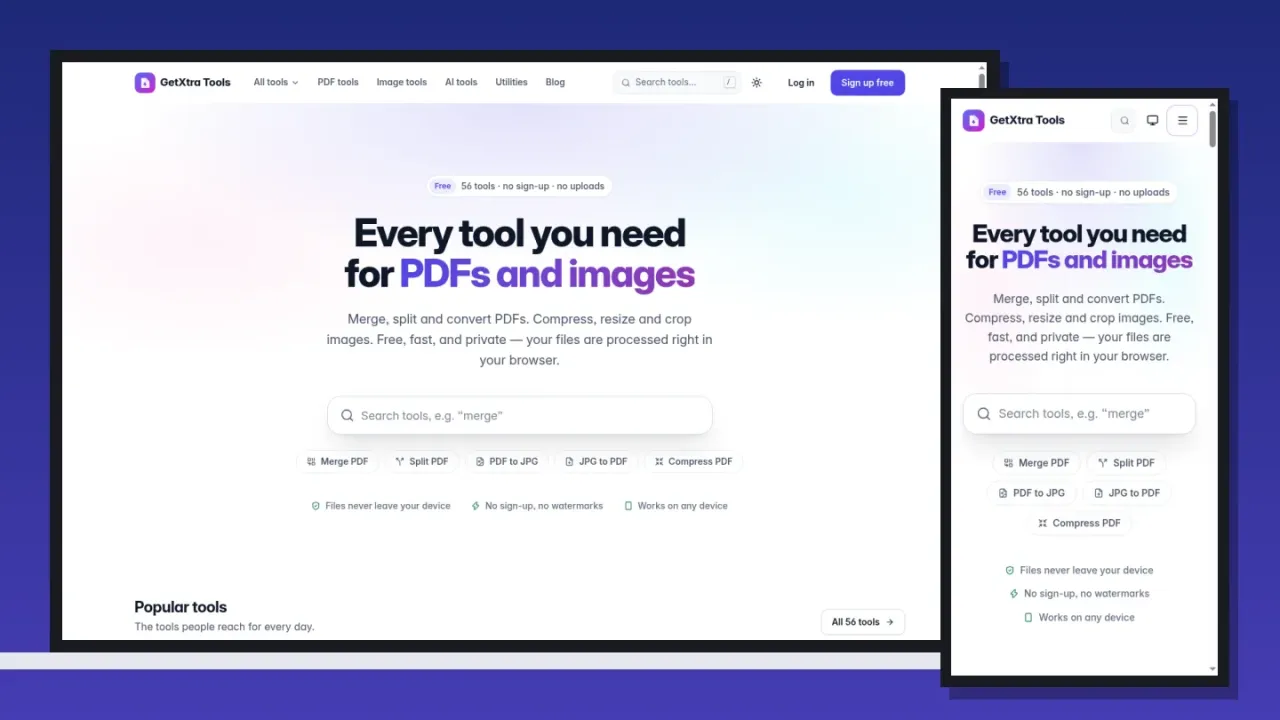
  • Modern mobile-first design with light and dark mode and instant search (Ctrl or ⌘ K)
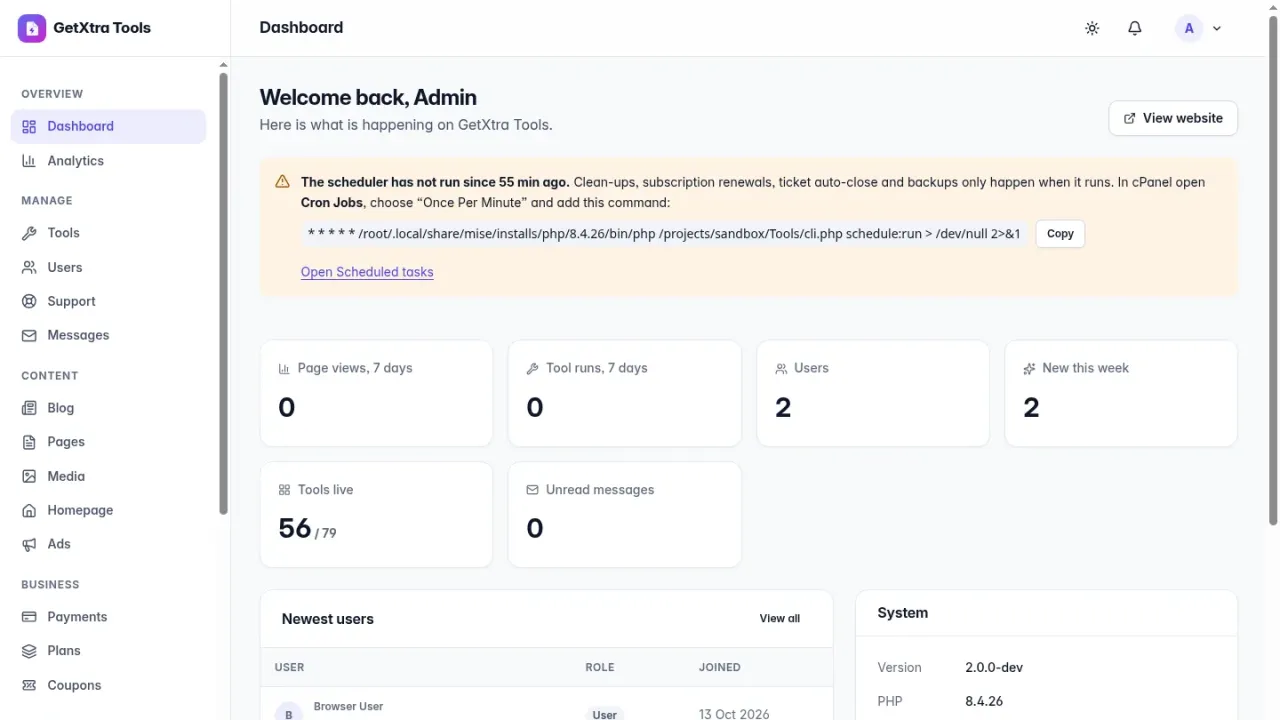
  • Admin panel: editable e-mails, SMTP settings, audit and sign-in logs, blocked IPs, error log, caches, backups and system information
  • Security: strict Content Security Policy, CSRF protection, rate limits and encrypted secrets, security-reviewed before release
  • One cron line for every scheduled task, with a warning when it does not run
  • One-click updates from this store with your licence key: signed packages, a backup first and Undo
  • Six-step web installer with cPanel hints: no Composer, Node.js or command line needed

Your own online PDF tools website

GetXtra Tools 2.0 is a complete online PDF tools website script with image tools and AI tools, written in plain PHP 8.2 for your own domain and your own brand. It ships 56 tools and 23 ready-made landing pages: merge, split, compress and convert PDFs, Word, Excel and PowerPoint to and from PDF, sign, annotate, redact, OCR, compress and convert images, QR codes and more.

The PDF, image and OCR tools run in the visitor's browser. Files are never uploaded to your server, so they stay private, there is nothing to store or clean up, and processing costs you nothing.

Version 2.0 is a complete rebuild of GetXtra Tools: a new design, a new foundation and new business features. It is a new product, installed on a new, empty database.

The tools

  • PDF tools (34): merge, split, compress (with target size), rotate, crop, delete, extract and reorder pages, page numbers, watermark, metadata, fill forms, flatten, bookmarks, extract images, repair, linearize, protect with AES-256, unlock, compare, sign, annotate, redact, edit and OCR to a searchable PDF.
  • Office conversions in the browser: PDF to Word, Excel and PowerPoint, Word, Excel and PowerPoint to PDF, PDF to JPG and JPG to PDF. Each tool page explains what is and is not converted.
  • Image tools (12): compress (to a target size such as 50 KB or 25 KB, or lossless PNG), resize, crop, convert between JPG, PNG, WebP, GIF and BMP (animations kept), rotate, flip, merge, add text, watermark, colour palette and SVG to PNG.
  • AI tools (9, optional): remove background, upscale, enhance photo, remove object, retouch face, colorize, image to prompt, AI image generator and summarize document.
  • Also: a QR code generator, and OCR in English and Hindi with Tesseract running on the device.
  • 23 landing pages that open a tool with a preset, each with its own text and SEO: PNG to JPG, JPG to WebP, compress image to 50 KB, reduce PDF size and more.

Built for search engines

  • Every tool page has its own meta title and description, how-to steps, a FAQ and structured data.
  • An XML sitemap, clean addresses, fast pages and a self-hosted font with a small download.
  • A blog with categories, tags, authors, scheduled posts, revisions, SEO fields, a table of contents, related posts and RSS.

AI tools with your own keys

  • Connect your own OpenAI, Replicate and Stability AI keys under Admin → AI; they are stored encrypted and never shown again.
  • Choose the provider and model per tool, and set daily limits per visitor, per signed-in user and per plan.
  • The AI tools stay hidden from the site until you switch them on and add a key, so the website works fully without them.

Make money from it

  • Paid plans with Stripe, PayPal and Razorpay (UPI): monthly, yearly and lifetime deals, prices in INR, USD, EUR or GBP, coupons and printable receipts.
  • Plan limits for tool runs per day, the largest file and AI requests per day, and ad-free plans.
  • Ads from AdSense or your own code in four slots, with a cookie consent banner; nothing is loaded from the ad network before the visitor accepts, and paying plans never see ads.

For your users

  • Sign-up with e-mail verification, password reset, Google sign-in and two-factor authentication with recovery codes.
  • An account area with favourites, opt-in history, profile, active sessions and login history, billing and receipts.
  • Support tickets with attachments, and in-app notifications.

Admin panel

  • Tools (on or off, featured, order), users, plans, coupons and payments.
  • Cookie-free analytics for page views, users, tools, revenue, AI usage and support, with charts and CSV export.
  • Blog, media library, editable pages, an announcement bar and the home page text.
  • Editable e-mails with preview, SMTP settings, branding with logos for light and dark mode, favicon, footer and social links.
  • Audit and sign-in logs, blocked IPs, error log, caches, database and uploads backups, system information and scheduled tasks.

Design, speed and security

  • A modern, mobile-first design with light and dark mode, accessible controls and instant search (Ctrl or ⌘ K).
  • Every front-end library is self-hosted with its licence; nothing is loaded from a CDN.
  • A strict Content Security Policy, CSRF protection, rate limits and encrypted secrets. A full security review was done before the release.

Installation and updates

Upload the website ZIP to your hosting, extract it, create an empty MySQL or MariaDB database and open the site in your browser. The six-step installer checks the server, explains database problems in plain English, creates your admin account and shows the one cron line to copy. It runs on cPanel shared hosting with no Composer, Node.js or SSH access. The buyer guide in the download covers installation, payments, AI tools, e-mail, ads, the blog, support, backups, updates and troubleshooting, and works offline.

Later versions install with one click under Admin → Updates with your licence key: every package is signed and checked, a backup is made first, and Undo puts the previous version back. The licence key is needed only for updates; nothing else is locked.

Please read before you buy

  • 2.0 is a new product: it needs a new, empty database, and there is no upgrade from GetXtra Tools 1.x. Users, payments and posts of 1.x are not imported.
  • The website is in English only. API keys for developers, teams and affiliates of 1.x are not part of 2.0.
  • The AI tools use your own provider accounts, and each AI request is billed by that provider. The payment gateway, e-mail and Google sign-in accounts are your own too.

What is included

  • Full source code in plain PHP 8.2, nothing encoded
  • Every front-end library self-hosted with its licence, nothing loaded from a CDN
  • Six-step web installer with a plain-English database check
  • Buyer guide in English that works offline: cPanel install, first setup, payments, AI tools, e-mail, ads, blog and pages, support, backups, updates and troubleshooting
  • 6 months support
  • 12 months free updates, installed with one click

Server requirements

Check your hosting before you buy: the script needs everything listed here, except the items marked optional.

  • Requires PHP 8.2 or newer with pdo_mysql, mbstring, openssl, json, fileinfo, curl and zip (gd recommended)
  • Database: MySQL 5.7+ or MariaDB 10.3+, a new and empty one
  • Web server: Apache or LiteSpeed with mod_rewrite (any cPanel host), or Nginx
  • HTTPS, which the payment gateways and Google sign-in need
  • One cron line, every minute, for billing, clean-ups and backups
  • No Composer, Node.js or SSH access needed
  • AI tools (optional): your own OpenAI, Replicate or Stability AI account; each request is billed by the provider
  • Visitors need a modern browser (Chrome, Firefox, Safari or Edge)
  • A fresh installation: there is no upgrade from GetXtra Tools 1.x

Changelog

v2.2.0 current 14 Oct 2026
GetXtra Tools 2.2.0.
The installer sets up a demo website by itself. The site step asks what the website is for: a live website (unchanged) or a demo website, read-only and with sample data.
A demo install writes the demo setting into the configuration file, fills in the sample users and blog posts, and the last page shows the demo sign-ins and how to turn the demo off again. The sample data is put back every night.
v2.1.0 18 Oct 2026
GetXtra Tools 2.1.0.
The licence key is now required: the installer activates it at this store before installing, and a key the store refuses stops the installation. If the store cannot be reached, the installation finishes and the key is activated on its own as soon as the store answers.
Without a valid licence the admin panel opens only Licence and Updates, and visitors see a notice. 7 days of offline grace after a good check; a copy on localhost needs no key.
Demo mode for a live demo site (DEMO_MODE=true): a banner, one-click demo sign-ins, a read-only admin panel, sign-up, e-mail, payments and AI switched off, sample data with php cli.php demo:seed, reset every night.
Installed 2.0.0 without a key: activate it under Admin → Licence after updating.
v2.0.0 18 Oct 2026
GetXtra Tools 2.0.0, a complete rebuild and a new product.
56 tools and 23 ready-made landing pages: 34 PDF tools (merge, split, compress, sign, annotate, redact, edit, protect, unlock, OCR, compare and conversion to and from Word, Excel and PowerPoint), 12 image tools, 9 optional AI tools and a QR code generator. PDF, image and OCR tools run in the visitor's browser, so files are never uploaded.
A new mobile-first design with light and dark mode, instant search and SEO-ready tool pages with how-to steps, FAQ and structured data.
AI tools with your own OpenAI, Replicate and Stability AI keys (stored encrypted), with daily limits per visitor, user and plan.
Paid plans with Stripe, PayPal and Razorpay (UPI): monthly, yearly and lifetime deals, coupons, receipts, plan limits and ad-free plans.
Accounts with Google sign-in and two-factor authentication, an advanced blog, support tickets, ads with a cookie consent banner, cookie-free analytics, editable e-mails, backups and one cron line for every scheduled task.
One-click updates with your licence key under Admin → Updates: signed packages, a backup first and Undo.
Needs a new, empty database: there is no upgrade from 1.x. English only; API keys, teams and affiliates of 1.x are not part of 2.0.

Licence — what you may do

What you can do Regular Extended
Use it on one website of your own
Modify the code
Earn from ads or subscriptions
Deploy it for a client and charge them
Resell the script as-is

The full terms are in the Licence Agreement.

Reviews

No reviews yet.

Only verified buyers can review a script, so this section stays empty until someone who actually bought it writes something. If that is you, the form is below.

Write a review

Use the email address you bought this script with — we check it against your order so every review here is from a real buyer.

Your rating *

FAQ

Do the AI tools cost anything?
The AI tools are optional and stay hidden until you switch them on. They use your own OpenAI, Replicate or Stability AI keys, and each request is billed by that provider. Daily limits per visitor, per user and per plan keep the costs under control. All other tools cost nothing per use.
Does it run on cPanel shared hosting?
Yes. It needs PHP 8.2 or newer and MySQL 5.7+ or MariaDB 10.3+, with no Composer, Node.js or SSH access. A six-step web installer with cPanel hints sets it up, and one cron line runs every scheduled task.
Which payment gateways can my users pay with?
Stripe, PayPal and Razorpay (with UPI), for monthly, yearly and lifetime plans, with coupons, receipts and ad-free plans. You use your own gateway accounts.
How do updates work?
Activate your licence key under Admin → Licence, then install new versions with one click under Admin → Updates: every package is signed and checked, a backup is made first, and Undo puts the previous version back. The licence key is needed only for updates; nothing else is locked.
Which languages does the website support?
The website is in English. Hindi and other Unicode text can be used inside the PDF tools, and OCR reads English and Hindi.
How soon do I get the script after paying?
Immediately. The moment PhonePe or PayU confirms your payment (UPI, card, netbanking or wallet), the download link and licence key appear on screen and are emailed to you as well — usually within seconds.
Is the source code encrypted?
No. You get the complete, readable source code — no ionCube and no obfuscation. You can change the design, the text and the features however you like.
How many websites can I use one licence on?
A Regular licence covers one domain, plus localhost and one staging subdomain for testing. If you want to build several websites, or build sites for clients and charge them, buy an Extended licence.

You may also like

All scripts
₹999 ₹14,999
Buy now